
ShareCard™
Connect, Share, and Grow Your Business
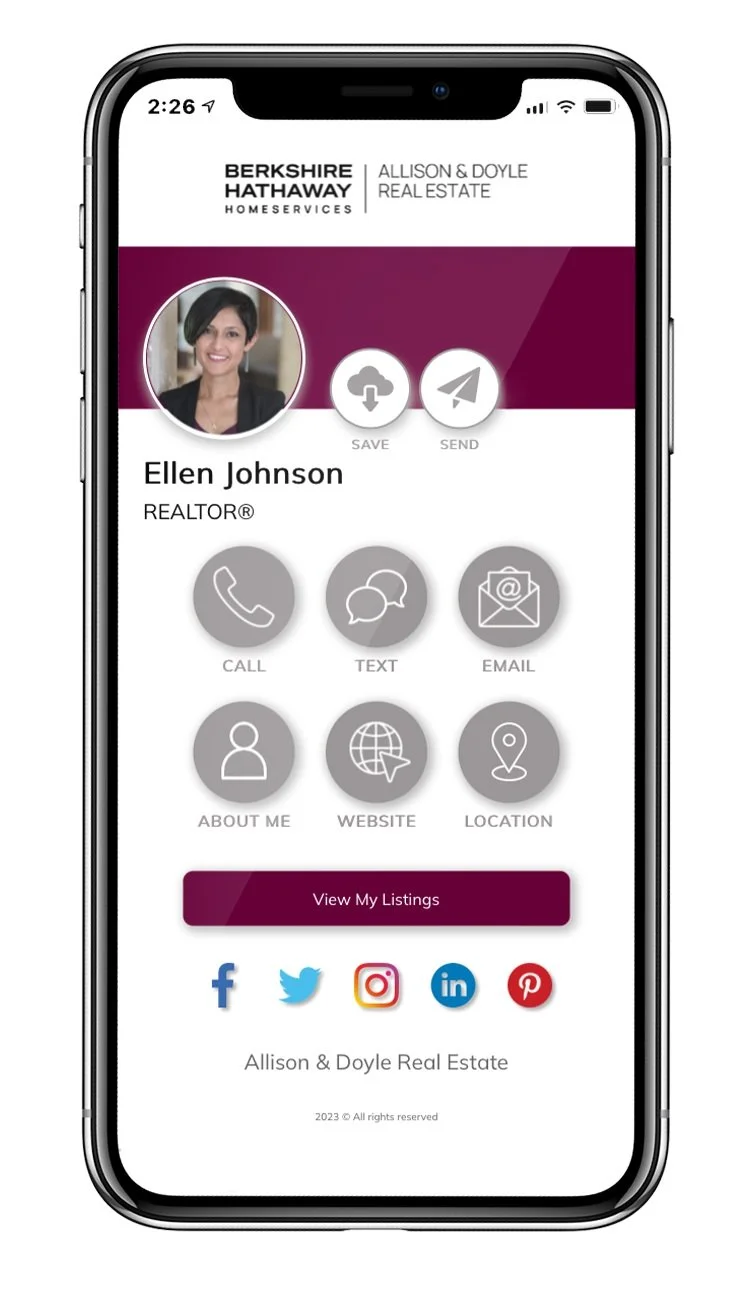
BRANDING, ENGAGEMENT & DATA
ShareCard™ allows you to leverage your daily activities and grow your customer base without any data entry or heavy lifting.
Instantly share your contact information, current promotions, call to action, and more with your unique ShareCard™ Tools: NFC-Enabled Card and Tag, Branded QR Code, SMS Keyword, and ShareLinks.
In addition, you get access to Win Local®'s powerful ENGAGE Platform that automatically adds the recipient of your ShareCard™ to a dynamic audience that you can re-engage with - keeping you and your business top-of-mind.

SHARECARD™ + The Engage platform
-
Track and monitor all data associated with your ShareCard™, including all contacts, downloads, texts, scans and more; all in one place.
-
Customize your ShareCard™ to be an extension of your brand! Add your photo, logo, colors and custom call-to-action buttons; eliminating the standard follow-up email & creating forward momentum from the 1st conversation!
-
When your client/prospect opens your ShareCard™ on their phone – they can instantly save you as a contact in their phonebook with 1-click; just hit the “Connect” button.
-
ShareCard™ requires NO DATA ENTRY! All your contacts are automatically captured and saved to your Win Local® account, along with real time alerts for all new contacts & referrals. All your data is available for easy export.
-
Every time someone opens your ShareCard™ on their phone, our SharePixe automatically builds a dynamic audience that you can re-market to; just like a cookie or pixel on your website, the SharePixel™ works for EVERYONE you connect with.
-
Quickly and easy create best-in-class, highly targeted ad campaigns to reach your audience and stay top of mind.
JACQUELINE CASE
Licensed Real Estate Salesperson
“Win Local® offers so much value and makes us stand out from the crowds of agents on our industry… great way to capture more contacts and easy to use at networking events, open houses and when you are having those conversations with people in your community! Their products are very user friendly and Win Local® provides all the training!”

FAQ
-
What is a ShareCard™?
ShareCard™ is a contactless way to share your contact information via SMS, QR Code, NFC Tags and Web. Each time your card is shared, the recipient is added to your target audience for re-engagement so you and your business stay top of mind.
-
Can I customize my digital ShareCard™ ?
Your ShareCard™ you can upload your photo, background image, connect your social media accounts and create unlimited call to action buttons (Example: Book An Appointment)
-
How can I send people my ShareCard™?
There are 4 Different ways for someone to access your ShareCard™
1- TAP (Your NFC-enabled ShareCard™ or ShareTag™)
2- SCAN (Your Personal QR Code)
3- SHARE (With your very own branded keyword. I.e. Text SETH to 88500)
4- SEND (Send your card from your branded icon on your home screen)
-
How Do I Install Win Local®?
There’s no installation to use the Win Local® platform! Simply log in to create an account and you’ll be guided through using our platform.
-
How do I activate my ShareCard™
Simply tap the ShareCard™ or ShareTag™ with your phone, tap the link on your phone and follow the instructions. Click here for a video demonstration.